
Introduction
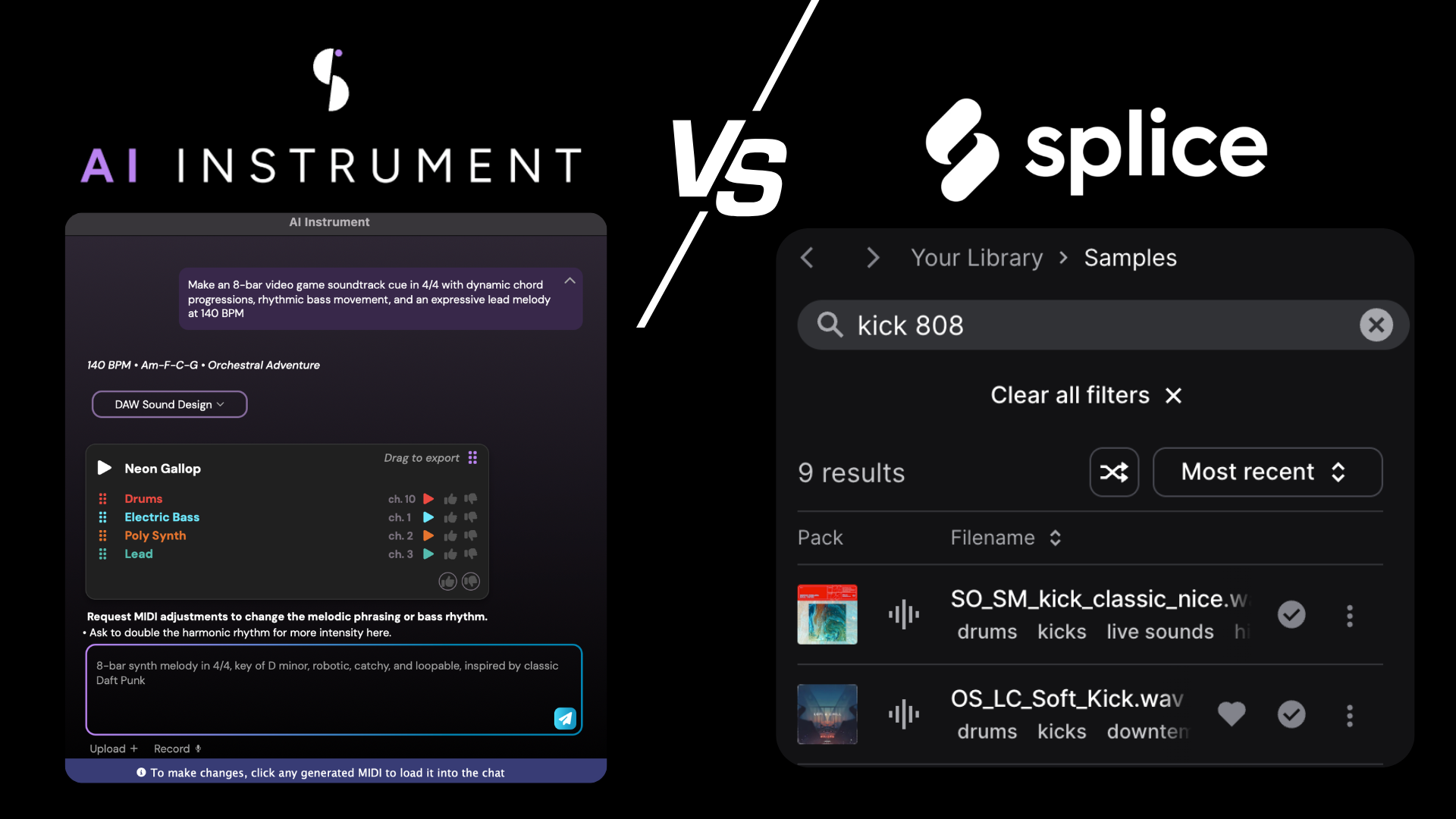
In this blog we’re going to explore two common tools in modern music production: sample library searching and AI prompting. Both are meant to speed up the creative process, but they approach it in very different ways. By understanding these differences, you can choose the right method for your workflow and get more consistent results. Along the way, you’ll also pick up practical tips for using AI prompting effectively to work faster and stay creative.
Table of Contents
1. What is Sample Library Searching?
2. What is AI Music prompting?
3. How Does AI Prompting Differ from Sample Searching?
4. Tips and Best Practices for AI Prompting
Never ask AI to write a full song.
Try generating multiple instruments at once.
Use specific virtual instruments in your prompts.
Don’t make the prompt too long. Сoncise is the key!
You can reference artists in the prompt, if it will help you!
Don’t forget to use ‘Rewrite’ and ‘Accompany’ with your MIDI files!
Learn → Improve
Don’t ask ChatGPT to write AI music prompts for you, use your own creativity.
1. What is Sample Library Searching?
Splice is one of the most popular sample-searching platforms, with an enormous amount of audio material. I’ve used it for quite a while, and like many composers, producers, and sound designers, I open it almost daily. What makes it especially convenient is its search engine. You can type a couple of words, something like “cinematic percussion bpm 90” and boom: you suddenly have hundreds of extremely useful, production-ready samples in front of you. That’s all possible because of its tag- and keyword-based system, where even a single word is often enough to surface material very close to what you’re looking for.
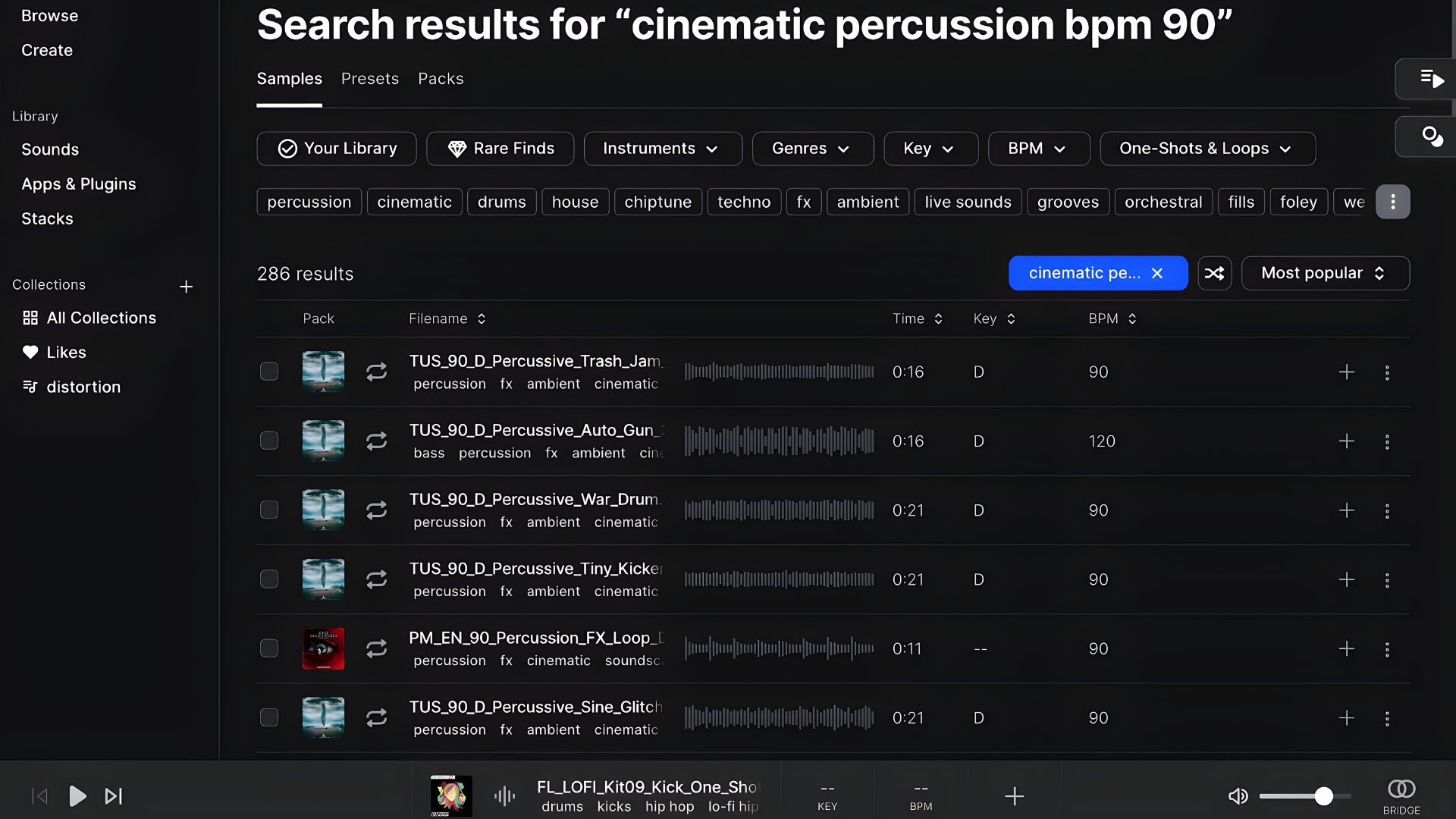
If you work with sound design, you’re probably familiar with Soundly, another sample library with a powerful search engine that works in a very similar way, relying on tags and keywords. In sample-library searching, the output is essentially predefined; it’s simply waiting for you to enter the right words. There’s no “smart” AI logic behind it, just a well-organized database responding to keywords you already know.
2. What is AI Music prompting?
On the other hand, we have AI music prompting, which is basically about describing the music you want in words, instead of searching for predefined sounds or patterns. Rather than thinking in tags, genres, or technical labels, you focus on mood, emotion, and intention. It’s very similar to how a film director talks to a composer: they don’t list notes or articulations, they describe how the music should feel and what it should express.
AI reacts the same way. If the description is vague, the result will be vague too. But when your words are clear and intentional, the output immediately becomes more musical and usable. That’s why it feels much closer to working with a creative collaborator than browsing a database. Add a few technical details on top of a clear artistic direction, and the results get even better.
3. How Does AI Prompting Differ from Sample Searching?
I’ve worked with film directors before, and the most common requests sound more like this:
“I want a lyrical string theme, something in minor…slow…and maybe with a solo flute on top. It should feel very dramatic and emphasize the difficult relationship between a son and his father.”
Yes, that’s it!!!! That’s already enough information for a composer to know what to write. In fact, it’s almost a luxury: the emotional direction is clear, and the instrumentation is already suggested.
So why am I telling you this? Because the same logic applies to AI prompting, and this is where it fundamentally differs from sample library searching. AI needs to know what kind of music you’re trying to make. If you want a good result, just like a great film director wants a great score - you need to be precise with your words. This is no longer a tag-based search engine like a sample library. You’re not searching for something that already exists; you’re describing something that needs to be created.
In that sense, AI behaves more like a creative collaborator than a database: it doesn’t retrieve sounds, it interprets intent. At Staccato, this is exactly the approach we’re taking. AI isn’t here to replace you, it’s here to help you move faster, while the creative decisions stay completely yours.
4. Tips and Best Practices for AI Prompting
1. Never ask AI to write a full song.
From a technical perspective, AI is designed to support your creative vision, not replace it. You’ll get far better results by generating music in smaller sections, 8 to 16 bars at a time - rather than asking for a full song in a single prompt. This allows you to shape the structure, refine ideas, and keep musical focus.
Think about it this way: you’ve never seen Steven Spielberg ask John Williams to write the entire Jurassic Park theme in one sentence. Music is built step by step, and AI works best the same way.
2. Try generating multiple instruments at once.
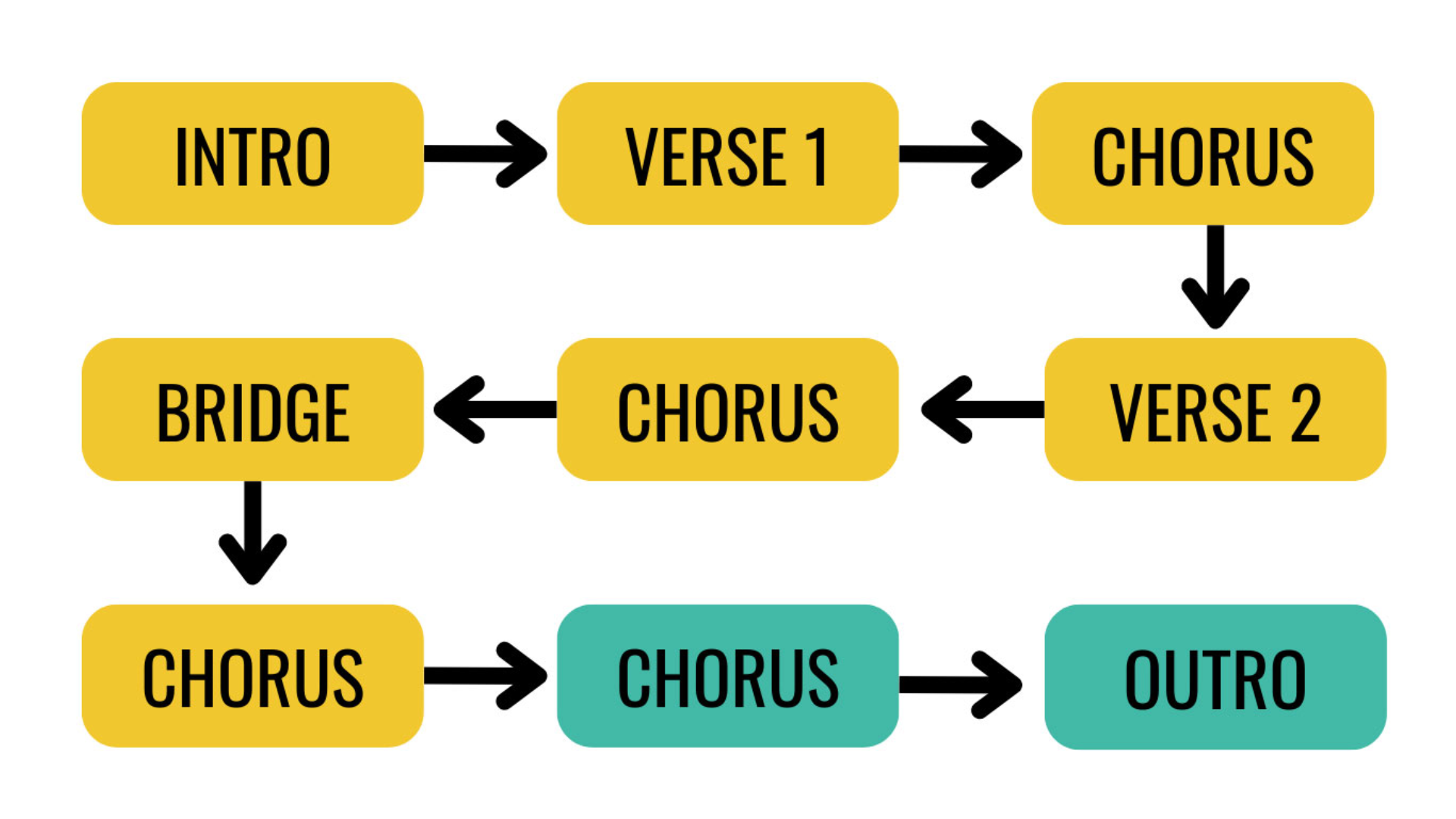
Instead of prompting one instrument at a time, try describing how several instruments should work together. For example, you might ask for a slow, sensitive string section featuring two violins, a viola, and a cello, with a clear melody. In this case, the request isn’t just about individual sounds - it’s about how they interact musically.
As you can see in the screenshot below, the resulting MIDI reflects that relationship perfectly. This is where Staccato really shines, it doesn’t just generate separate parts; it understands how instruments should behave together in a musical context.
3. You can reference artists in the prompt, if it will help you!
If you’re composing in a DAW with virtual instruments, you can refer to a specific VST or library. Our AI model is trained on a wide range of musical knowledge, so it can understand how to write for a particular instrument from a given library.
4. Don’t forget to use ‘Rewrite’ and ‘Accompany’ with your MIDI files!
Turning a prompt into a novel isn’t the best approach, it can overload the AI with unnecessary information. Keep it concise: 2-3 lines is usually more than enough to convey your idea. Think of how Christopher Nolan described the music for Interstellar to Hans Zimmer: instead of going through the entire script, he focused on clearly and precisely conveying the core theme.
5. Learn → Improve
Referencing specific genres or even artists can improve results, as the AI Instrument quickly grasps the sound and vibe you’re aiming for, giving you a strong starting point for your music.
6. Don’t ask ChatGPT to write AI music prompts for you, use your own creativity.
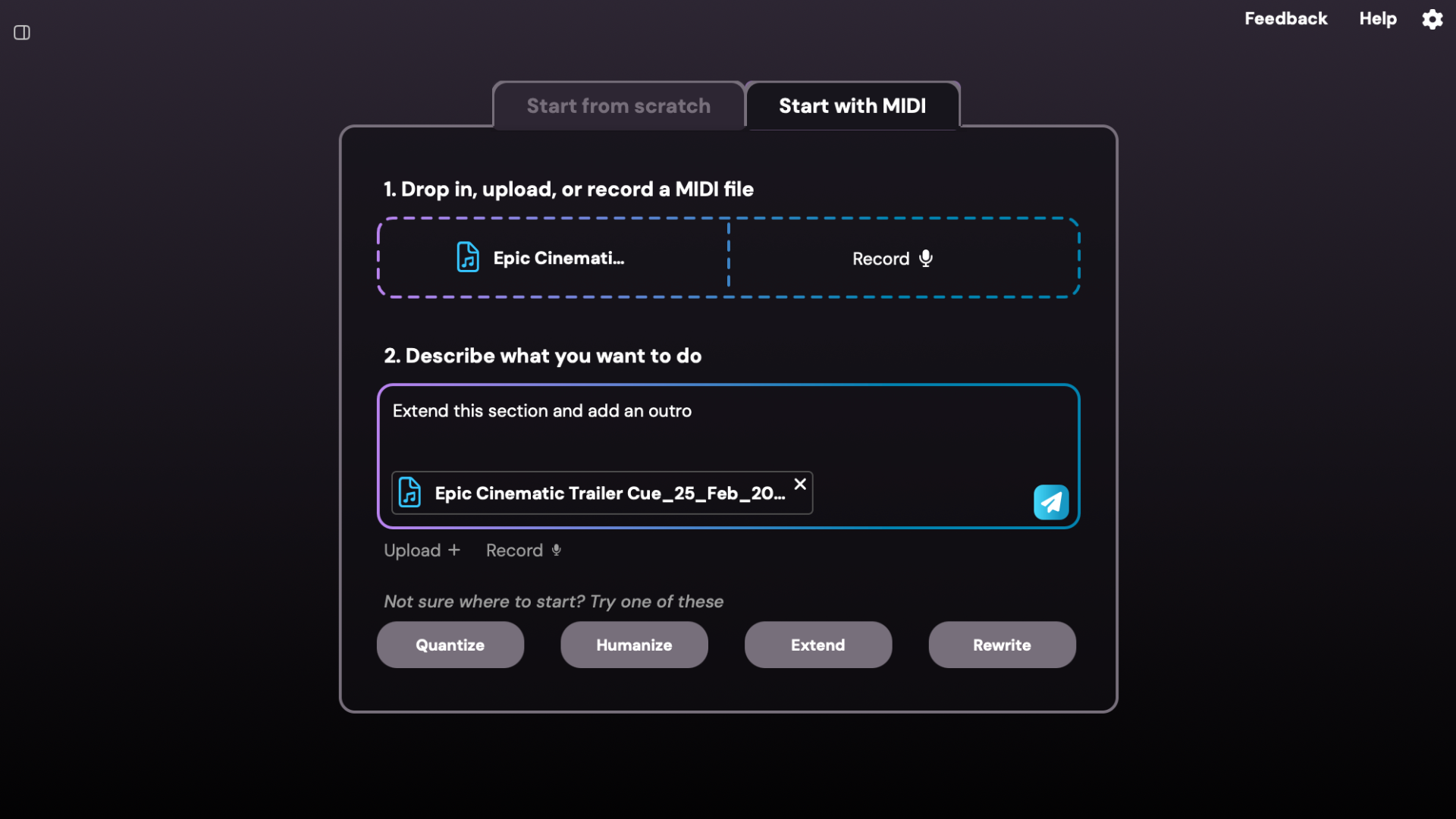
If the AI Instrument doesn’t get the result exactly right, you can click the track to load it back into the chat and tell it what to fix or what to add. Even if it’s just a melody or a bass line, this makes it easy to refine and expand your ideas. Using Rewrite and Accompany lets you build on what’s already there instead of starting from scratch, saving time and keeping your musical vision intact.
7. Types of AI MIDI Tools
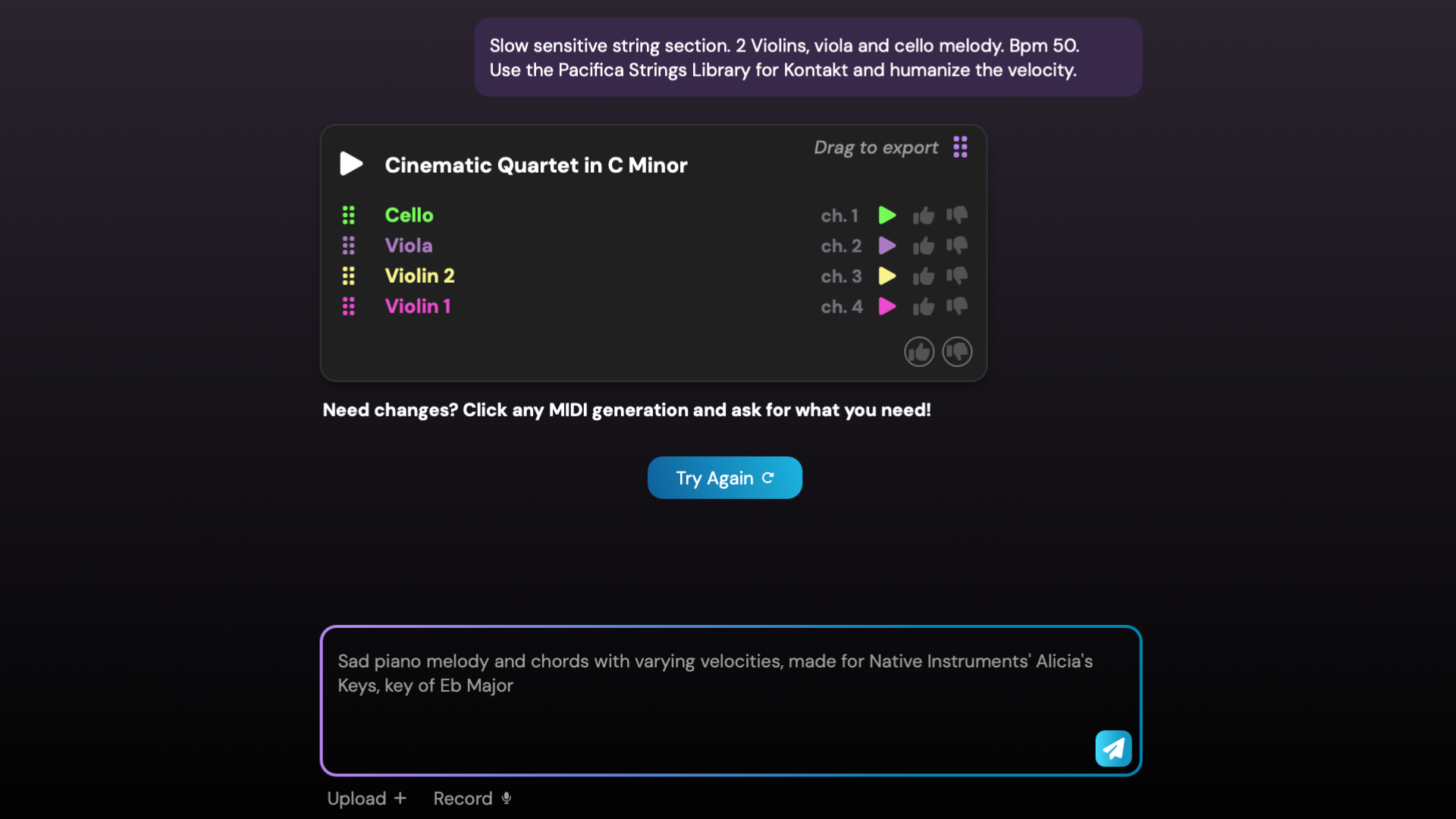
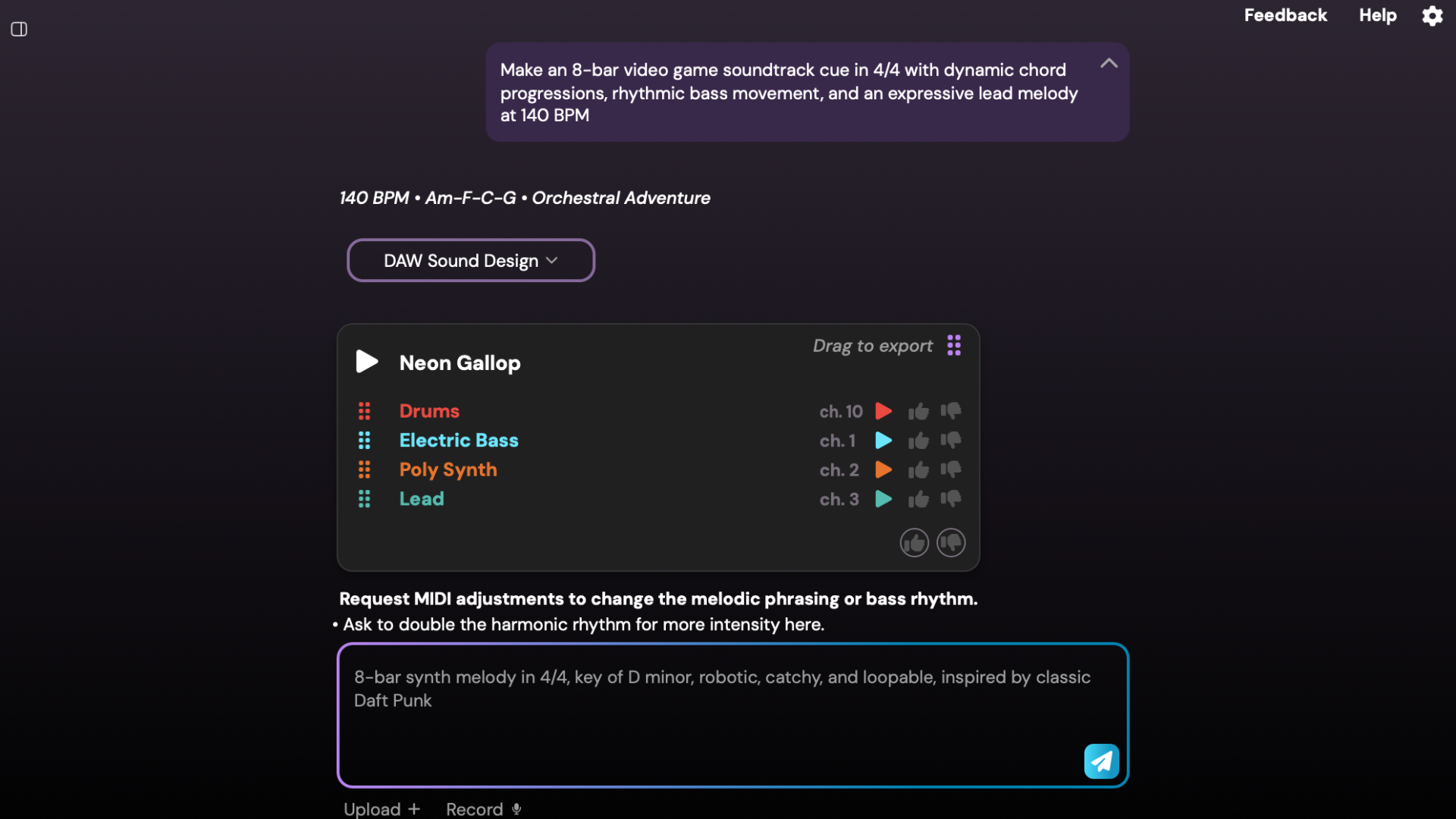
Don’t hesitate to experiment with prompts, experimentation leads to learning, and learning leads to improvement. This also applies to the AI model itself. Staccato can learn from and adapt to your personal style. The like/dislike system shown in the image is what makes this possible. When you like generated material, the AI remembers your preference and uses it to shape future results. You can rate individual instrument lines or entire generated tracks, and over time, this feedback will significantly improve the quality of the results.

Dmytro Kyryliv - Marketing & Operations at Staccato
Composer · Audio Artist · Performer · Educator · MMus Music Technology & Digital Media
Dmytro Kyryliv specializes in orchestral composition, cinematic scoring, interactive music systems, and immersive audio. He is the 2026 winner of the Toronto Symphony Orchestra’s Explore the Score program and is currently pursuing a Master of Music in Music Technology and Digital Media. At the University of Toronto, he serves as a teaching assistant and instructor in the Future Sound 6 program. He has recently been admitted to doctoral studies in composition at the University of Toronto. Alongside his academic and research work, he maintains an active international career as a composer and clarinetist, performing across Europe and North America.
